David gets a gold star (Cisco Support Community)!

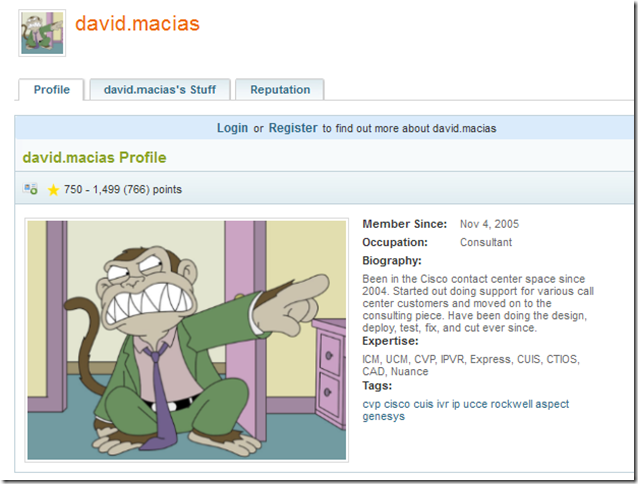
I like to contribute a lot to Cisco’s NetPro Forums, now called Cisco Support Community.  I’ve been a member since 2005 and love the community since everyone seems to help everyone out a lot.  For this particular reason I feel inclined to give back as much as possible.  That being said, when you post a reply posters can give you points for how good your response was or how much it helped them.  So, that’s one way to get some recognition if you’re actually being helpful.

That being said, there are different levels based on how many points you’ve been awarded.  Just recently I reached the gold start level by surpassing 750 points.  While I still have a long way to go to catch some of the top contributors who are in the 10s of thousands of points, it does feel nice to hit a small milestone.
image

~dmacias

Cisco CRM Adapter with Firefox

I will assume you have the server connected and working properly, this post focuses solely on getting the CRM adapter working with Firefox 3.x, 6.x.  The version I’m working with is Cisco_Unified_CRM_Connector_7.52, which allows you to install the server or client.  This is Cisco’s latest version and upon install it includes Salesforce.com Adapter 3.00.  Install the adapter, including the Firefox extension and perform the following steps:

  • Download the Demo Adapter 3.01.  This includes the Salesforce.com Adapter 3.01.
  • Run through setup and install it in a different directory.  Ensure you install the Firefox extension.  Cisco’s in C:\Program Files\Cisco\CRM Connector\Salesforce.com Adapter\ and Salesforce in C:\Program Files\Salesforce.com\Demo Adapter 3.01.
  • Go to the Demo Adapter 3.01 folder and register the SFDCFirefoxConnector.dll and SFDCFirefoxConnectorPS.dll.
    • You can register them by double clicking on the file and opening them with C:\Windows\System32\regsvr32.exe
  • Restart Firefox.

Firefox should now be working with your Salesforce.com instance.  Please note that you now have two adapters and you must be running Cisco’s version 3.00 in order for this to work.  I’m assuming someone at Cisco didn’t package the right DLL and or the right Firefox extension (which is included in the Demo Adapter 3.01 folder sfdcffextension.xpi).

~dmacias